      █████╗ ████████╗ ██████╗ ███╗   ███╗
     ██╔══██╗╚══██╔══╝██╔═══██╗████╗ ████║
     ███████║   ██║   ██║   ██║██╔████╔██║
     ██╔══██║   ██║   ██║   ██║██║╚██╔╝██║
     ██║  ██║   ██║   ╚██████╔╝██║ ╚═╝ ██║
     ╚═╝  ╚═╝   ╚═╝    ╚═════╝ ╚═╝     ╚═╝
Introduction
Welcome to the official documentation for Atom, a lightning-fast, modal terminal editor written in Rust.
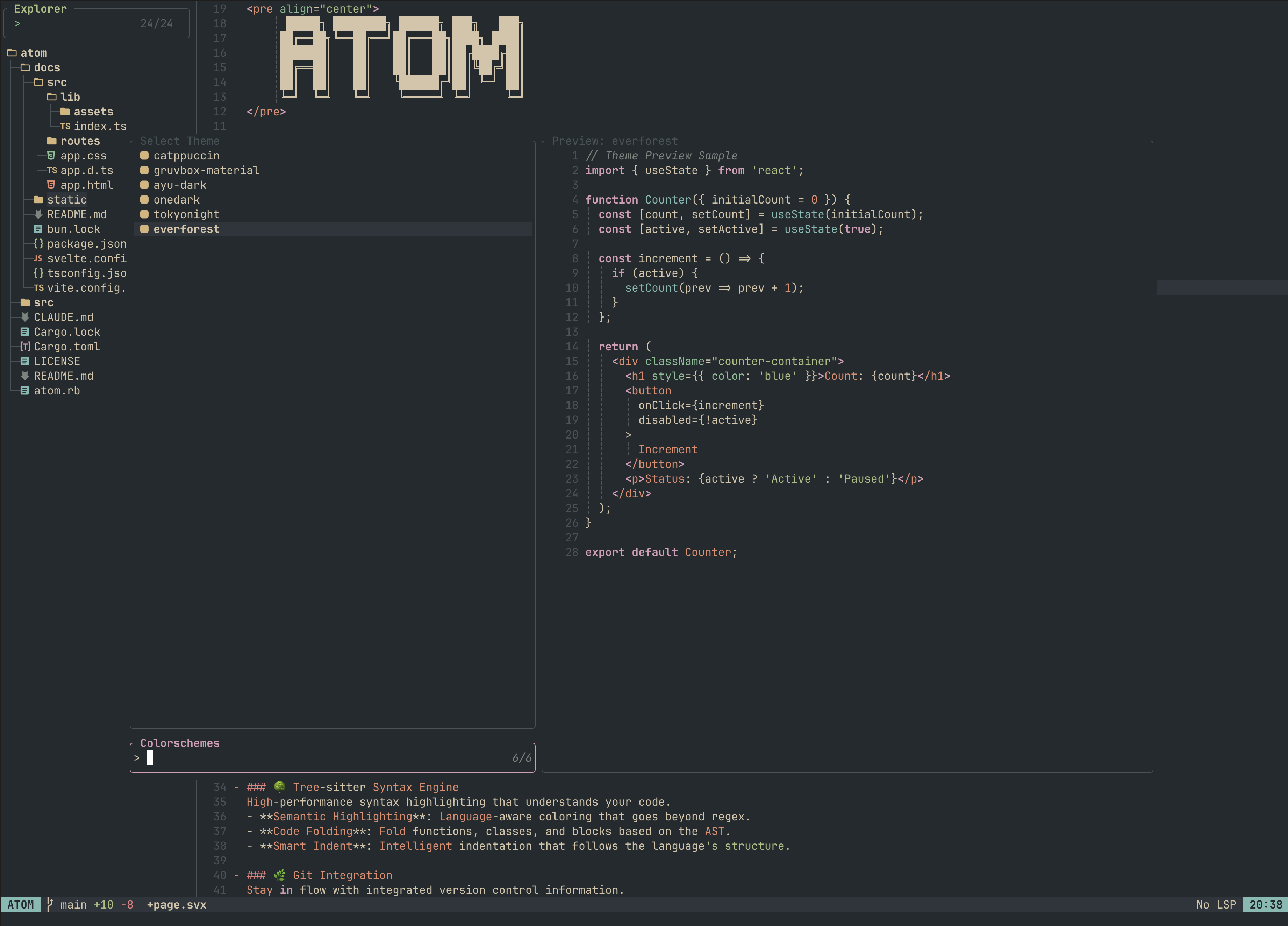
Atom is designed for developers who crave the speed and efficiency of Vim but want the modern features of a contemporary IDE.
Getting Started
If you are new to Atom, we recommend checking out these sections:
- Keybindings: Learn the essential shortcuts for navigation and editing.
- Commands: Master the command-line interface for file and buffer management.
- Customization: Tailor Atom to your workflow using Lua.
Core Features
⌨️ Modal Editing & Vim Emulation
Atom provides a robust modal editing experience inspired by Vim.
- Modes: Support for
Normal,Insert,Visual,Visual Block, andCommandmodes. - Motions: Navigate efficiently with
w,b,e,ge,0,$, and more. - Operators: Use standard
d(delete),y(yank),c(change), andp(paste) commands. - History: Full undo/redo stack for every buffer.
🚀 Native LSP Integration
Built from the ground up with asynchronous LSP support for a lag-free experience.
- IntelliSense: Smart auto-completion with snippet support.
- Navigation: Jump to
Definition,Implementation, andReferencesinstantly. - Diagnostics: Real-time error and warning highlighting in the gutter and status line.
- Trouble: A dedicated “Trouble” view to aggregate project-wide diagnostics and
TODOmarkers.
🛠️ Nucleus Package Manager
Manage your development environment directly within the editor (previously Mason).
- Installation: One-click installation for LSPs, DAPs, linters, and formatters.
- Filtering: Easily filter tools by language or type.
- Updates: Keep your toolchain up-to-date with an intuitive interface.
🔭 Telescope Fuzzy Finder
The ultimate navigation tool for your project.
- File Finder: Find and open files in milliseconds with live previews.
- Live Grep: Search for text across your entire project.
- Buffer & Theme Picker: Quickly switch between open files or change your editor’s look.
🌳 Tree-sitter Syntax Engine
High-performance syntax highlighting that understands your code.
- Semantic Highlighting: Language-aware coloring that goes beyond regex.
- Code Folding: Fold functions, classes, and blocks based on the AST.
- Smart Indent: Intelligent indentation that follows the language’s structure.
🌿 Git Integration
Stay in flow with integrated version control information.
- Gutter Signs: Visual indicators for added (+), modified (~), and deleted (-) lines.
- Line Blame: View commit author and message for any line at a glance.
- Status Line: Real-time branch info and change counts (Added/Modified/Deleted).
📁 Integrated File Explorer
Navigate your project structure with a modern tree view.
- File Previews: Quickly preview files with Shift+P without opening them.
- File Operations: Create, rename, and delete files or directories without leaving Atom.
- Advanced Navigation: Support for PageUp/PageDown, gg (Jump to Top), and G (Jump to Bottom).
- Smooth Scrolling: Full support for mouse wheel scrolling and keyboard navigation in large file trees.
- Nerd Font Icons: Beautiful icons for file types and git status.
Beautiful & Customizable
Atom is built to look good out of the box and is highly configurable.
- Lua Configuration: Customize Atom using a familiar init.lua with
vim.optandvim.keymap.set. - Themes: Support for
Catppuccin,OneDark,Ayu Dark,Gruvbox,TokyoNight, andEverforest. - UI Components: Rounded borders, glassmorphism-inspired headers, and a clean status line.